Showing posts with label smart phones. Show all posts

Sunday, September 19, 2010

Instant Heart Rate monitor for Android

Instant heart rate is a heart rate monitor for Android smartphones that uses the phones built in camera to measure your heart rate.
This application measures oxygen saturation changes in your blood. On every heart beat your blood becomes more oxygen rich which causes a slight change in the color of your skin; the camera in your phone tracks that change and calculates your heart rate. It works similar to a medical pulse oximeter but without a dedicated light source.

Press your left index finger gently over the camera. Hold it steady for at least 6 seconds. Your current heart rate will be shown on the display.
It's important that you use this application with good lightning. For best results turn the back of your mobile towards the sun or a lamp.

To try it go to Androd Market on you mobile and search for "Instant Heart Rate"


This application is been made as a part of a study of using sensors built into mobile phones for measuring biological signals.  Check it out... it's FREE!

Wednesday, September 15, 2010

Android keeps getting Bigger!

A new report from Gartner Research claims that Google's Android operating system will grow rapidly in the remaining months of 2010, passing both Apple and RIM.

If you don't follow the smartphone world closely, Nokia is still number one worldwide. While their phones are offered by Canadian carriers, the market in other nations over seas encourages users to buy unlocked phones - often Nokia handsets.
In late 2009, Android had only 3.9% of the market - Apple had three times more. Google is expected to hit about 17.7%, which will cobbler Apple's iOS, and just edge out Blackberry. While iOS is still growing, Blackberry has been falling. The dismal response to the Blackberry Torch isn't helping.
That would leave Android behind only Symbian found on Nokia phones, which tend to be the least smart of the smartphones.  And coming soon... new Windows mobile phones.
The single down side to Android's rapid growth is turning out to be the number of devices.  With so many phones, all with different hardware and screen resolutions etc., how quickly are updates going to get rolled out?  My HTC Legend which is great is out of stock all over and new phones keep coming; I'm thinking the manufacturers are going to forfeit updates to sell newer versions of different phones.  

With so many different updates for so many phones the consumer is set to get screwed again.

Friday, September 10, 2010

Links that were once!!!

Just searching Google for some tech toys... the top links
all to cnet pages that have moved or don't exist
CBS has invaded C-Net... and the decline is on.


Tom Merritt moved on to the cottage, and I think
the info from there is a little bit cleaner too.

AND totally unrelated

New to the Android App Market

Sunday, August 29, 2010

2G 3G 4G - One simple picture!

Cell phones are now world wide, infrastructure for using your phone is not.
I found this image that seems to simplify: "Is your phone 3 or 4 G's?"


So basically all phones are [2G] GSM (for worldwide use);
and newer phones also have [3G] WCDMA and/or [4G] HSPA technology as well.

For more detailed info go here:
http://www.gsmworld.com/technology/index.htm

Tuesday, August 17, 2010

Vlingo: Words to Action App

recently announced Voice Actions for Android 2.2+ phones which allow you to control actions like sending text and email's, navigation and finding businesses, call contacts, plus search all by speaking to your phone.


Vlingo: Words to Action does almost the same.


Feeling trumped by Google, Vlingo immediately cut the price on their once $10 app to FREE.  For free why wait for Manufacturers and Carriers to update.
Search for Vlingo in the Android Market.

Tuesday, August 10, 2010

WatchDog Task Manager


An alternate root to the usual "Task Killer".  I've used a task killer since I got my phone; but this sounds like a better solution.

Watchdog replaces task killers. Task killers blindly kill all apps on the phone, causing increased load times when they're accessed again, or even loss of functionality if it kills something important. Android takes care of starting and stopping apps on demand. Watchdog will find the out of control ones.


What Android doesn't do is alert on processes that aren't behaving well. They will eventually get killed if something needs the memory, but in the meantime, it can consume CPU and thus battery. Task killers address this in a heavy-handed way, and hurt Android's lifecycle management. They won't even work in Froyo due to changes in the API that prevent the kill feature.


Sunday, August 8, 2010

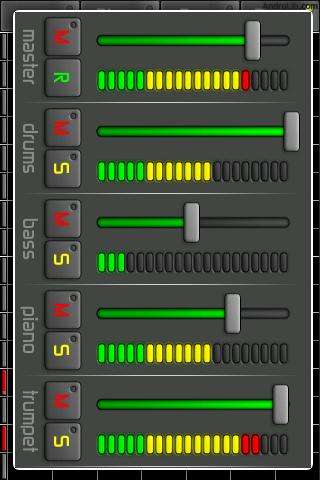
Android Audio Creation Apps

FREE Audio creation Apps for Android

Tub Thumper v0.41
Drum machine that allows you to drum along to your favourite songs.


Droid DJ v4.0 (Not found on market in Canada)
Twin pitch-shifted decks, DJ mixer.


Loops! Lite v2.3
Drum machine and step sequencer that allows you to easily create amazing music loops.


Uloops Music Composer v2.0.0
Make tracks using three concepts: Song, Loop and Devices (including Synthesizers, Drum Machines, Modulators and Recorders).


Rhythmax v0.1.3
Rhythm editor.


MicDroid
Produces the pitch correction effect made famous by T-Pain.


Electrum Drum Machine

Electrum Drum Machine. Pattern-based music composition; Use samples to make beats/songs. Six MPC pads.  Load or record your own samples.  Stretch loops to fit BPM.  Sample edit.  WAV/MIDI/Pad Export-load ur song into Fruityloops!


Virgin Strong Again

Just two quick notes. 

#1)
My bad Virgin service is great again; must have been the bad storm.

Also for the HTC Legend on Virgin Mobile in Edmonton, the service is WCDMA.
Switching to just GSM left no signal, WCDMA got great reception.

Rather than having auto mobile network, set your mobile network to which network
protocool gives you the best signal; it should save some battery with the phone not
having to decide which network to connect to.

#2)
Tasker was too confusing to set up profiles so I uninstalled it.  It would do alot of things
but was not intuative at all.  Basically you set up sets of logical arguments and
the phone does what you say if you say it right.  Arguments need to be valid and
sound.
It seems other apps do some things Tasker can so it would be most useful to
user who have few programs and want automation.  I think I'm going to go with some
sort of extended controls on a home screen and monitor manually what I was going
to get Tasker to do... I'll also feel more in control.

Saturday, August 7, 2010

GSM, 3G, 4G

Everyone keeps asking if my phone is 3G or 4G.

G.G.G.... It's a HTC Legend on Virgin Mobile Canada;
GSM, WCDMA, HSDPA OR in G's; it's a 3.5G

Problem is like computer technology, we have 3G and 4G phones
everywhere but the networks aren't so readily available.  Like multi-core
computing, you may have 4, 8 or 16 cores; but where do you find multi-core software.  Technology is getting better and farther apart at the same time.
As far as cell phones networks, here's a brief simple history (BTW the "G" stands for "generation"):

GSM: 2G European standard and the first digital mobile system. It offers only circuit-switched traffic (i.e voice calls, SMS...etc) and data transfer at very low bitrates 9.6kbps.

GPRS: also reffered to as phase 2+. It offered packet-switched traffic with new network components integrated over the existant GSM core network. This allowed data bitrates to increase to 171kbps. It is also considered as the first step towards 3G networks.


EDGE: It was made to cover the delay of delivery of 3G/UMTS network. It supported data rates upto 384kbps.


UMTS: the first 3G European standard network. It is the optimal solution for GSM operators to support 3G services. The Air interface technique used for this network is WCDMA. This technique allowed data rates to reach 2Mbps.


HSDPA: It is actually a software upgrade to the UMTS network using the same air interface technique used in UMTS (WCDMA) and supporting data rates upto 10Mbps.

Wednesday, August 4, 2010

Tasker Android App

While looking for battery savers, besides JuiceDefender; I came across this great app:

What Is It ?
Tasker is an application for Android which performs Tasks (sets of Actions) based on Contexts (application, time, date, location, event, gesture) in user-defined Profiles, or in clickable or timer home screen widgets. This simple concept profoundly extends your control of your Android device and it's capabilities, without the need for 'root' or a special home screen.
Tasker came 3rd in the Productivity category in the Android Developer Challenge 2.


Sounds like it will do your battery monitoring and hundreds
of other useful things too! Looks like this might be
the essential Smart Phone App for Android.

Check out the LifeHacker Post:
How to Turn Your Android Phone into a Fully-Automated Superphone

Juice Defender App


Juice Defender app from Android Market basically switches off Wi-Fi and mobile internet when you're not using the phone.
You can play around with the settings; here's a good base profile:

Schedule: Enable APN* for 2 minutes every 30 minutes (to pick up email, updates etc.)
Traffic: Leave APN enabled while >10kb / 30 seconds (so if you're downloading something it will keep downloading until it's finished, then switch off Wi-Fi / mobile internet)
Battery: Keep APN disabled while below 15% (to save your battery life for calls and texts when it is below 15%)
Charger: Leave APN enabled while charging (no need to save battery when you're charging the phone)
Screen: Leave APN enabled while screen is on (so Wi-Fi / mobile internet stays connected while you're using the phone, and disconnects when you're not.)

* APN = Access Point Name


UltimateJuice! €2.79

Enables advanced features for JuiceDefender:
- WiFi control with Location
- all schedule intervals
- night, peak schedules
- screen/lock timeouts
- and more!

*** This is an add-on to JuiceDefender, it won't "open" on its own ***